

Open Dental’s latest version, 26.1, has been released as stable! We added 10 features requested specifically by our users as well as many other changes and enhancements. Read on to learn more!
TECH TIP: Once you’ve updated your database to 26.1, access up-to-date help pages by using the ? from any window in Open Dental.

In This Post
ODTouch 25
Insurance / Claim Enhancements
Account Module and Billing Enhancements
Miscellaneous Changes
ODTouch 25
The updated ODTouch 25 app has been released! If you are an existing ODTouch user, we recommend installing ODTouch 25 and updating to the latest stable version of Open Dental for the latest features and enhancements.
If you haven’t tried ODTouch yet, reach out to our team to learn how ODTouch 25 can work for your office.

In ODTouch 25, enjoy these enhancements:
- An updated interface.
- Compatibility with both Ensora eRx and DoseSpot eRx.
- A new Pharmacies feature that allows you to view the pharmacy list to make calls, view addresses, and more.
- A new Edit Patient feature so you can now view and edit patient information from the app.
- Accessibility features including high contrast and dark mode.
Want to see these changes for yourself? Take a look at our newly updated  ODTouch Demo Webinar!
Insurance / Claim Enhancements
Overhaul of the Edit Insurance Plan window
As a heads up, some fields in the Edit Insurance Plan window have moved. This change allows all information to be visible without having to scroll. The functionality remains the same.

Create Custom Insurance History categories using Code Groups
You can now add and edit your Insurance History categories.

Add or edit a Code Group, then check Show In History to display this in your Insurance History.

Flag Individual Carriers when a Preauthorization is Needed
Stay ahead of your claims. When insurance requires a preauthorization for certain procedures, have Open Dental prompt you as a reminder.
Add the typical culprit codes to each carrier as needed.

When one of these procedures is charted, you’re reminded to create the preauthorization for patients with that carrier. Additionally, the procedure is annotated in the Treatment Plan Module.
If the new PreAuthFlag field is added to an appointment view or the appointment bubble, this reminder displays in the Appointments Module as well.
Age Limits Support Tooth Numbers
In the Edit Benefits window, use the ‘Teeth’ column to enter age limitations. Age limits attached to teeth can also be added as Other Benefits (this is useful if the age limit does not apply to a Code Group).

A good use case would be Sealants. Sealants are generally covered for patients 14 and under for first and second molars only, so the example would be set up like the screenshot above.
Account Module and Billing Enhancements
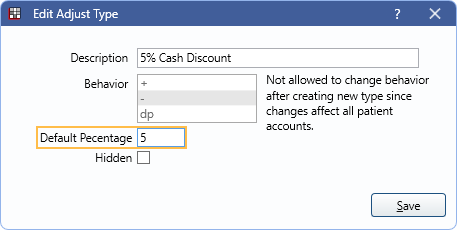
Default Percentage for Adjustment Types
You can now set a default percentage for individual adjustment types.
Single Adjustments by Percentage
In the Edit Adjustment window, there are now radio buttons for Fixed Amount and Percent of Fee.
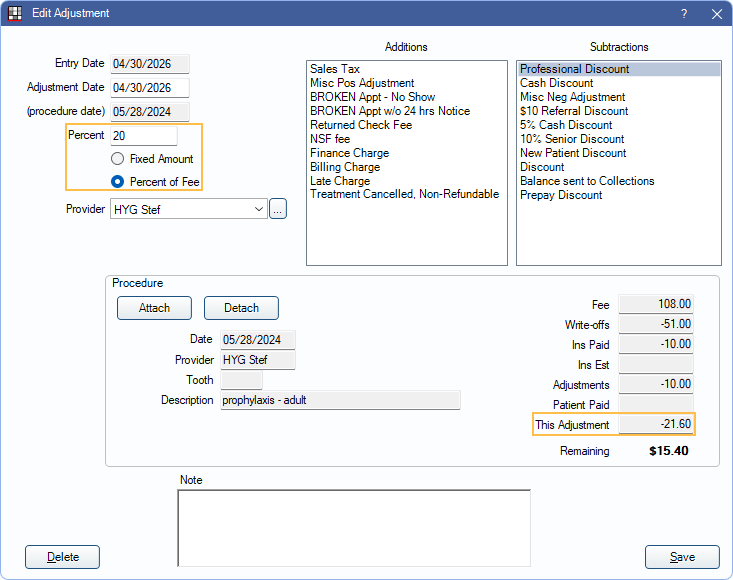
Fixed Amount allows you to enter a specific dollar amount for the adjustment – this is how it worked before.
Percent of Fee lets you enter a percentage discount and Open Dental will calculate the dollar amount once an adjustment type is selected.
Service Date View can be used on patient statements
The Service Date View groups account line items by date of service (e.g., procedure date), rather than ordering all items chronologically.

If the Service Date View makes more sense for your office, you can send individual or batch patient statements using Service Date View as well.
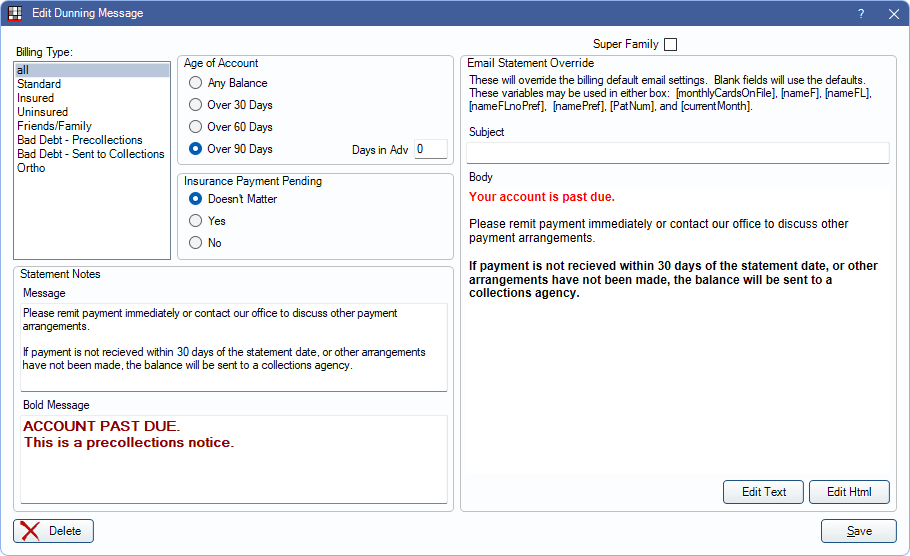
HTML Support for Billing Emails
HTML formatting is now supported when generating billing emails. This allows you to add your logo, format text, and use hyperlinks.
Miscellaneous Changes
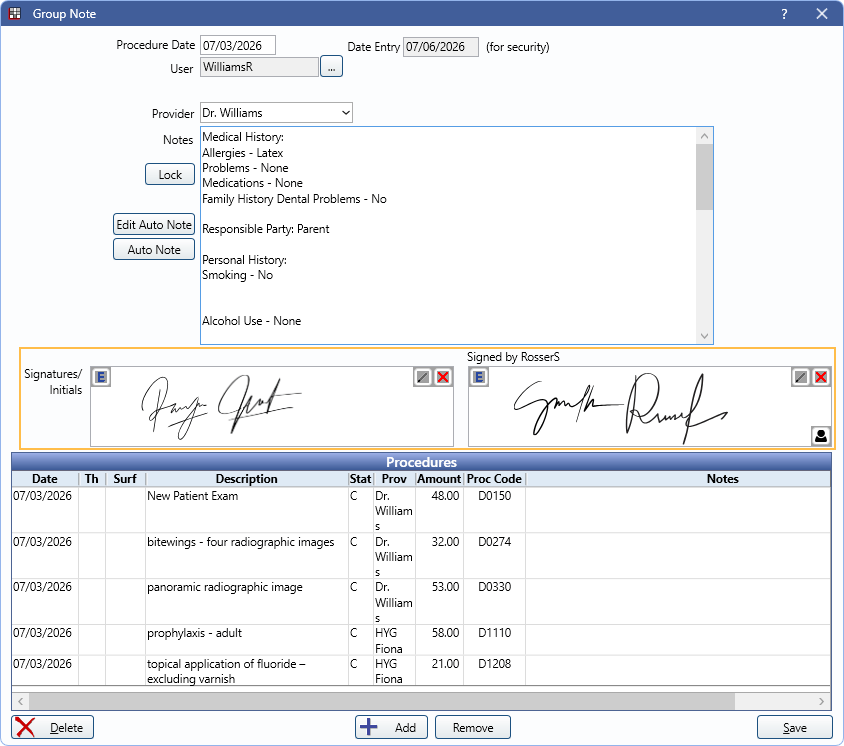
Group Notes Support 2nd Signature
Two users (e.g., dentist and hygienist) can now sign a single group note.
Added Patient View for BetterDiagnostics Annotations
There is now a Patient View option for Better Diagnostics AI.
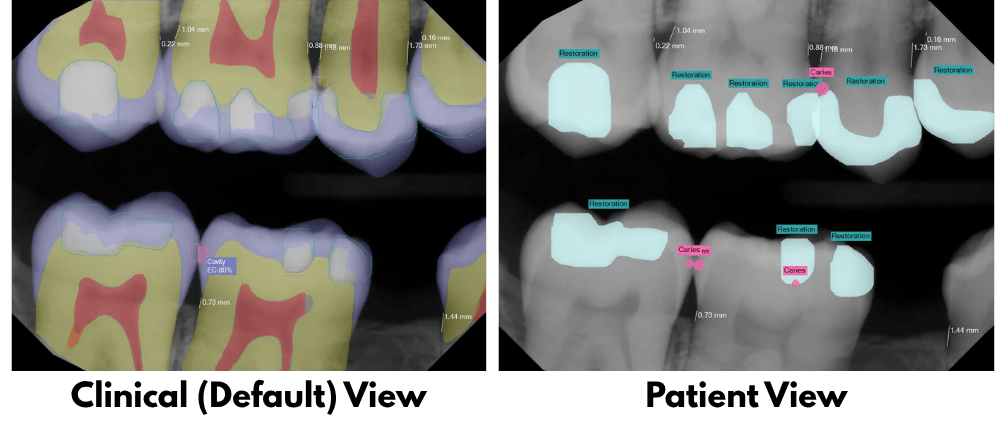
This view lets you present findings in a more patient-friendly format.
Automation Enhancements
A new Automation condition for “PatientProcedureClinicMismatch” has been added to warn you when the clinic assigned to the patient and the clinic assigned to the procedure do not match.
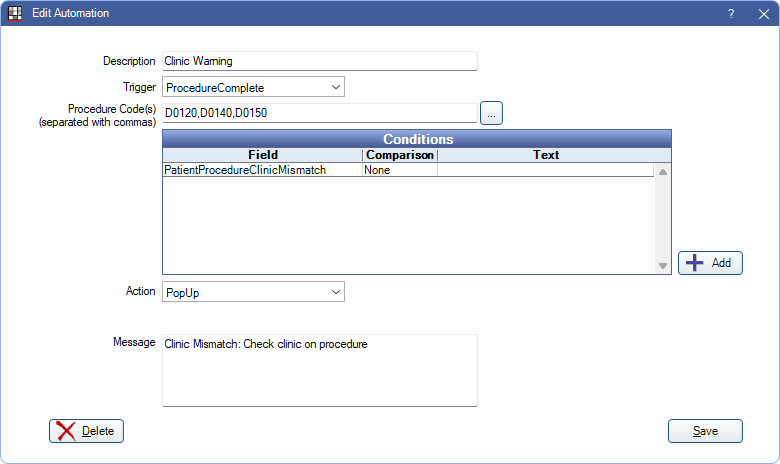
This condition works with the ProcedureComplete trigger only.
Additional Changes
We also added various minor enhancements:
- Audit Trail enhancements when dropping an insurance plan and when adding or editing a patient’s birthdate.
- The Audit Trail tracks when chart views are edited and when eForms are deleted from a patient.
- A new field for Title has been added to the Employees list.
- Task Attachment and Task Attachment Edit windows are now non-modal. This means you can keep these windows open and still be able to interact with other Open Dental windows.
- In the Allergies List (Allergy Setup), there is now a search bar to more easily find a specific allergy.
- The Web Form Setup window has been overhauled.
- Added the ability to display Gender in the Chart Module, Patient Info grid.
We’re excited to share these new features with you! If you have any questions or want to learn more, reach out to Open Dental Support.